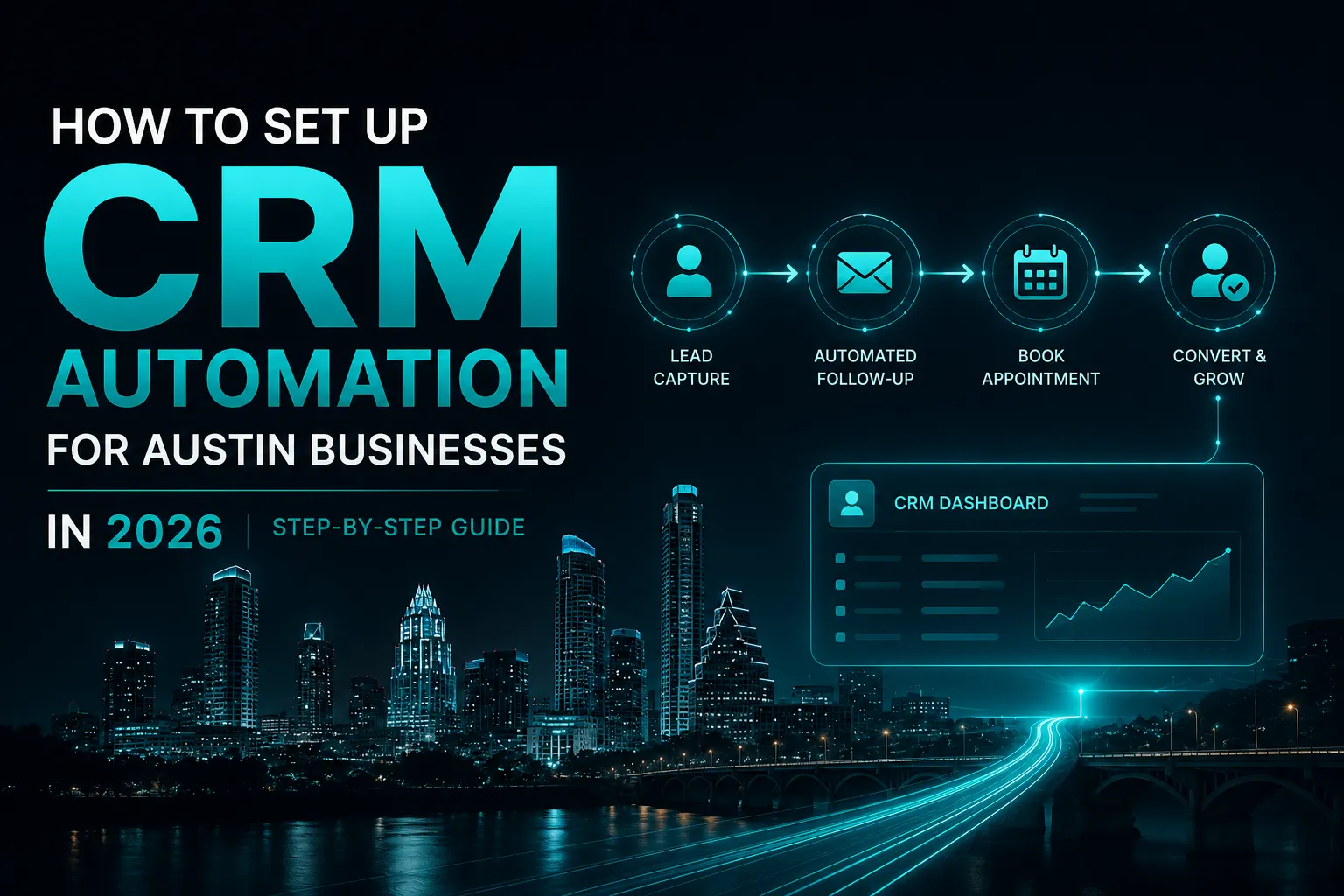
TLDR: CRM automation setup for Austin businesses means connecting every lead source, forms, calls, chatbots, and ads, into one system that follows up automatically within minutes instead of hours. This guide walks through the exact seven-step process AICOADS uses, real platform and pricing comparisons, and how long it actually takes to go live.
Setting up CRM automation means building a system that captures every lead the moment it comes in and follows up on its own, without waiting for someone to check an inbox. This guide is for Austin business owners, from HVAC companies in Round Rock to law firms downtown to local agencies near Cedar Park and Georgetown, who are tired of losing leads to slow response times and want the exact steps to fix it, not just the theory behind why it matters.
Most CRM guides online walk through generic software settings with no real numbers attached. This one is different: it follows the same seven-step process used for every Austin client, backed by current platform pricing and one documented result, not a hypothetical.
If you’re new to AI-driven marketing, what is AI marketing Austin explains how automation, AI tools, ads and lead follow-up work together.
What is CRM Automation, and Why Does It Matter for Austin Businesses?
CRM automation connects a business’s lead sources, website forms, phone calls, ads, chatbots, directly into a system that reacts instantly. Instead of a lead sitting in an inbox until someone has time, the system sends the first response, books the appointment and schedules follow-up on its own.
What it typically replaces:
- A shared inbox nobody checks consistently
- Sticky notes or spreadsheets tracking who called who
- Leads that sit for hours because everyone assumes someone else is handling it
- Manual appointment reminders that get forgotten during a busy week
Speed is the whole reason this matters. Harvard Business Review’s research team audited over 2,200 U.S. companies and found firms contacting a new lead within an hour were roughly seven times more likely to qualify that lead than firms that waited even a little longer (HBR, “The Short Life of Online Sales Leads”). Most Austin businesses aren’t losing jobs to better competitors. They’re losing them to slower ones and the fix is almost entirely a setup problem, not a sales problem.
That matters even more for industries where every missed call can mean a lost customer. For example, HVAC marketing Austin TX covers the broader marketing challenges Austin HVAC companies face, including visibility and lead generation.
What are the 7 Steps to Set Up CRM Automation for an Austin Business?
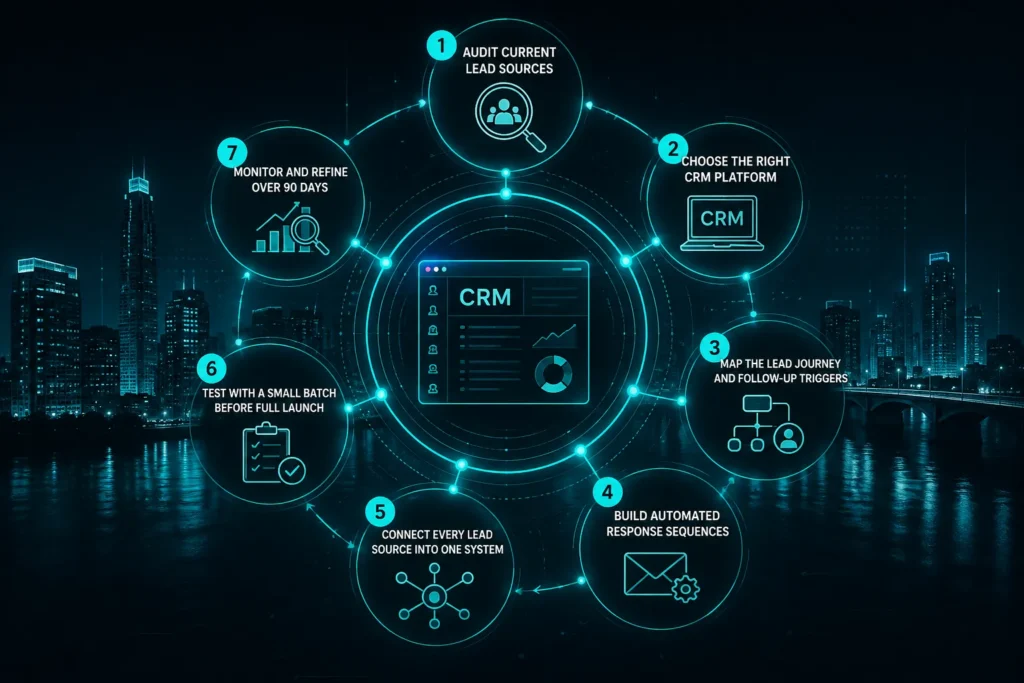
A proper setup takes about two to four weeks from audit to launch, following the same process we run for every Austin client.
Step 1: Audit Current Lead Sources
List every place a lead can reach the business: website forms, phone and missed calls, Google Business Profile messages, social DMs, referrals and walk-ins. Most businesses find leads landing in three or four disconnected places with no consistent follow-up between any of them.
Step 2: Choose the Right CRM Platform
Go High Level and HubSpot are the two AICOADS used most for Austin clients, chosen by business size and how many systems need to connect.
Step 3: Map the Lead Journey and Follow-Up Triggers
A missed call triggers an instant text. A form fill triggers an email plus a task for someone to call. A chatbot conversation triggers a booking link if the lead is qualified. A quote request triggers a follow-up sequence if it sits unanswered for 24 hours.
Step 4: Build Automated Response Sequences
This is where the CRM starts working: instant text and email replies, booking links and reminder sequences, so a lead who reaches out at 9pm still hears back before they call a competitor.
Step 5: Connect Every Lead Source Into One System
Ad platforms, funnels and landing pages, and any AI chatbot running on the site all feed directly into the CRM instead of existing as separate tools. AICOADS typically connects white-label performance marketing campaigns into this same system, so ad spend and follow-up are never disconnected.
For businesses using paid search, this connection is especially useful. Austin HVAC companies, for example, can connect leads from google local services ads for hvac directly into their follow-up workflow.
Step 6: Test With a Small Batch Before Full Launch
Running real leads through the system before going fully live catches broken triggers while the stakes are still low.
Step 7: Monitor and Refine Over 90 Days
Days 1-30: confirm every trigger fires correctly. Days 31-60: review response times and booking rates, tighten slow sequences. Days 61-90: refine based on where real leads are actually dropping off.
Go High Level vs. HubSpot:
Platform | Best For | Typical Monthly Cost | Setup Complexity |
Go High Level | Trades, small teams, single-location businesses | $97-$497 (official 2026 pricing) | Low to moderate |
HubSpot | Larger operations, complex sales processes | $890-$3,600+ per hub (Forbes Advisor, 2026) | Moderate to high |
Smaller trades businesses tend to fit Go High Level well since it bundles CRM, texting, and funnels at a lower cost. Larger operations with layered sales pipelines often lean toward HubSpot for its deeper reporting, even at a higher monthly cost.
For companies comparing agencies that use these tools as part of a broader strategy, austin digital marketing agencies ai tools provides a look at how Austin agencies are incorporating AI into their services.

What Does CRM Automation Cost for Austin Businesses?
Cost typically scales with business size and how many systems need connecting, not a flat rate.
By the numbers:
- $3.10 returned for every $1 spent on CRM, updated from Nucleus Research’s original $8.71 figure (Digital Applied, 2026)
- 71 percent of small businesses have already adopted a CRM system
- Most businesses see positive CRM ROI within 12 months, with initial benefits inside 90 days
- Leads contacted within an hour are roughly 7 times more likely to qualify than those contacted later
Cost Type | Typical Range | What It Covers |
CRM software (monthly) | $97-$3,200+ | Platform licensing, depends on Go High Level vs HubSpot |
Initial automation build | One-time setup fee | Audit, workflow mapping, sequence building, integrations |
Ongoing maintenance | $200-$500/month | Updates, monitoring, refinement |
Our prices around what’s actually being connected rather than a one-size package, since a solo HVAC contractor and a 12-agent real estate firm need very different builds. Pricing varies a lot between agencies locally, so it’s worth asking exactly what’s included in setup versus what becomes a recurring fee before signing anything.
The same principle applies when choosing a lead generation partner. Businesses comparing providers can also review top austin lead generation companies before deciding who should manage lead acquisition alongside the CRM.
How Did AICOADS Set Up CRM Automation for an Austin Business?
Austin Realty Group, a 12-agent real estate firm based downtown, was losing roughly 70 percent of inbound leads before working with AICOADS. Agents were juggling calls, texts and emails manually with no consistent system behind any of it.
We ran the full seven-step process above:
- A lead source audit revealed leads coming in through four separate channels with no shared follow-up logic
- The CRM and automated nurture system went fully live in under two weeks
- Every inbound lead connected to an instant response sequence and automated appointment booking, regardless of which agent happened to be available
The result: the firm went from losing most of its leads to booking three times more appointments from the same lead volume, with broker Marcus Reid noting that we changed how the entire office operates.
Frequently Asked Questions About CRM Automation Setup in Austin
How long does CRM automation setup take for an Austin business?
Most Austin CRM automation setups take two to four weeks from initial audit to full launch, depending on how many lead sources need connecting. Businesses with a single lead channel move faster than those juggling ads, forms, and chatbots across several platforms.What is the best CRM for a small Austin business?
Go High Level and HubSpot are the two most common choices for Austin businesses, with Go High Level starting around $97 a month for smaller trades companies. HubSpot suits larger operations with more complex sales processes and pricing that scales well past $890 a month.Does CRM automation actually replace a sales team?
No. It removes the manual follow-up work that used to eat a team’s time, but a person still needs to close the deal once a lead is engaged and qualified. CRM automation just makes sure that person gets the call while there’s still a real chance to close it.Can CRM automation connect to B2B lead generation and outreach too?
Yes. Outbound leads from B2B lead generation and outreach campaigns route into the same CRM as inbound leads, so every prospect gets the same fast follow-up that makes a lead roughly 7 times more likely to qualify. Nothing gets treated as a second-tier contact.What happens if a business already has a CRM but it isn’t automated?
Often the fix is rebuilding automation on top of an existing CRM rather than starting over, since the platform itself is rarely the problem. With 71 percent of small businesses already running some form of CRM, the missing piece is almost always the automation and triggers, not the software itself.Find AICOADS on Google Maps to confirm the Austin office and read client reviews directly.
Written by the AICOADS team, an AI marketing agency in Austin, Texas with 12+ years of combined marketing experience.