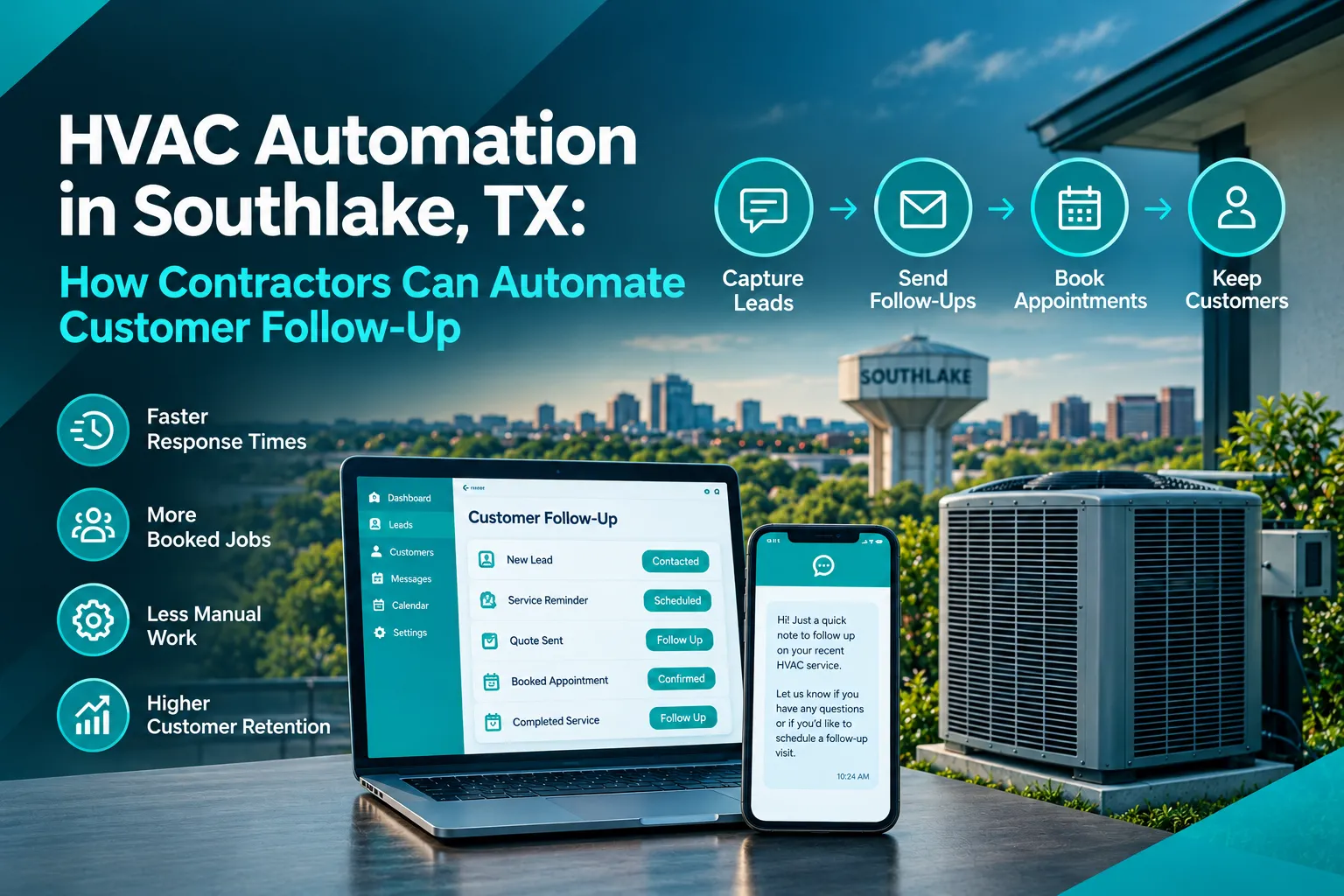
What is HVAC Automation, and How Does It Help Southlake Contractors?
HVAC automation uses software, customer relationship management (CRM) tools, and predefined workflows to handle repetitive tasks throughout the customer journey. Instead of manually tracking every inquiry, contractors can set up actions that occur when a lead calls, submits a form, receives an estimate, books an appointment, or completes a service visit.
For a Southlake HVAC business, this might mean sending an immediate confirmation after a homeowner requests an AC repair, reminding them about an upcoming appointment, and notifying the office when an estimate remains unapproved.
Automation can support several parts of the business:
- Lead management: Record inquiries from website forms, advertising campaigns, and phone calls in one CRM.
- Customer follow-up: Send relevant SMS messages and emails based on each lead’s status.
- Appointment management: Deliver booking confirmations and reminders.
- Estimate tracking: Alert staff when a quote needs follow-up.
- Customer retention: Schedule maintenance reminders and post-service check-ins.
A useful starting point is AICOADS CRM automation, which connects lead capture, follow-up workflows, and appointment management. Contractors can also explore the broader AI marketing services offered by AICOADS to understand how automation can work alongside advertising and lead generation.
For a broader look at connected systems, see AI automation home services Southlake.
Which HVAC Customer Follow-Up Tasks Should Contractors Automate?
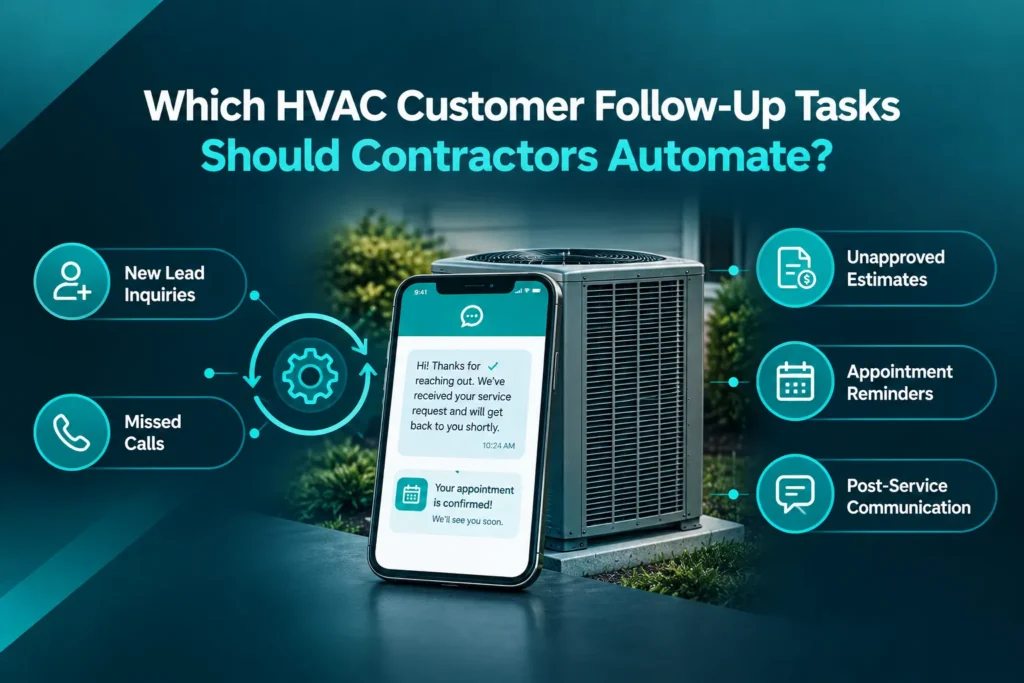
The best first workflows are repetitive tasks with clear triggers and outcomes. Southlake contractors do not need to automate their entire operation at once. They can begin with the communication gaps that most often delay bookings or leave customers waiting.
New lead inquiries: When someone submits a service request, the CRM can create a contact record and send a confirmation. The office team can receive a notification to review the request and arrange the next step.
Missed calls: A missed-call workflow can send a text acknowledging the call and inviting the customer to explain what they need. Urgent repair requests should be routed to the appropriate team member rather than left in a general message queue. Learn how an AI receptionist service can support call handling and lead capture.
Unapproved estimates: When a homeowner receives a repair or replacement quote but has not made a decision, automation can schedule a polite follow-up. Staff should be able to review the estimate and answer questions about scope, timing, or pricing.
Appointment reminders: Confirmation messages and reminders can help customers prepare for scheduled visits. If someone needs to reschedule, the workflow should provide a clear way to contact the office.
Post-service communication:
After a completed job, contractors can send a service check-in, request honest feedback, or remind customers when routine maintenance may be due. HVAC businesses can also explore HVAC cross selling Southlake to learn how relevant follow-up can help introduce additional services to existing customers.
Automating these steps creates a more consistent process while leaving technical advice, complex questions and important sales discussions to qualified staff.
How Can HVAC Automation Recover Leads and Unsold Estimates?
HVAC automation can improve recovery by identifying leads that have not progressed and triggering appropriate follow-up. The key is to use the customer’s actual status rather than sending the same message to everyone.
For example, a homeowner who requested an AC replacement estimate has a different need from someone who booked a routine tune-up. A CRM can separate these contacts and apply the right workflow to each group.
A practical process looks like this:
- Capture the inquiry. Add the customer, contact details, service request, and lead source to the CRM.
- Assign a status. Mark the record as new inquiry, appointment scheduled, estimate sent, awaiting decision, or job completed.
- Trigger relevant follow-up. Send a confirmation or reminder based on the status and elapsed time.
- Track engagement. Record replies, booking activity, and requests for additional information.
- Escalate when necessary. Notify a staff member when the customer has a question, expresses concern, or needs a more detailed conversation.
- Stop the sequence appropriately. Pause promotional follow-up after a booking, clear decline, or opt-out, and respect communication preferences.
For a deeper implementation guide, see CRM automation setup for Austin businesses. HVAC contractors who already use field-service software may also benefit from understanding Jobber and GoHighLevel integration for contractors, particularly when they want completed jobs and customer marketing workflows to work together.
Automation does not guarantee that every old lead will convert. Its value is that it gives suitable opportunities for a structured, trackable follow-up process.
What Should an HVAC Follow-Up Automation Workflow Look Like?
A well-designed workflow connects each customer action to a useful next step. The timing and message should reflect the type of request, the urgency, and the customer’s communication preferences.
Customer trigger | Automated action | Intended outcome |
New service inquiry | Send acknowledgment and notify the office | Confirm receipt and prompt a response |
Missed phone call | Send a text-back message | Reopen communication |
Appointment booked | Send confirmation and reminder | Keep the customer informed |
Estimate sent | Schedule a relevant follow-up | Address questions and clarify next steps |
Job completed | Send a check-in or review request | Gather feedback |
Maintenance approaching | Send a seasonal reminder | Encourage timely service |
Consider a homeowner in Southlake who requests an AC repair online. The CRM records the request, sends a confirmation, and alerts the office. Once the appointment is booked, the system sends a reminder. After the technician completes the visit, a separate workflow can request feedback and schedule a future maintenance reminder when appropriate.
Every workflow should include safeguards. If a customer replies, the system should route the conversation to a person or a suitable response process. If an appointment is cancelled, reminders should stop or update. If a lead is no longer interested, the CRM should reflect that status.
How Can Contractors Keep Automated Follow-Up Personal?
Automation works best when messages feel relevant, not robotic. Southlake HVAC companies should personalize communication using information they have permission to use, such as the customer’s first name, requested service, appointment date, or estimate status.
For example, a useful estimate follow-up might say:
“Hi Jamie, we’re checking in about the AC repair estimate we sent. Do you have any questions about the recommended work or next steps? Reply here and our team can help.”
This is more helpful than repeatedly sending a generic message asking whether the customer is ready to buy.
Contractors should also follow these practices:
- Use the right context: Mention the actual service request rather than promoting unrelated services.
- Choose reasonable timing: Avoid sending too many messages or contacting customers at inappropriate hours.
- Make human support accessible: Customers should be able to ask questions or speak with the office.
- Respect consent and opt-outs: Follow applicable rules for text messages, email, and automated calls.
- Review performance: Track responses, bookings, opt-outs, and complaints so workflows can be improved.
AI can assist with classifying inquiries, suggesting replies, and routing requests. However, it should not make unsupported promises about repair costs, diagnose complex equipment problems without appropriate oversight, or commit the company to a service time that has not been confirmed.
What Should Southlake HVAC Contractors Look for in an Automation System?
The right system depends on the company’s size, current software, and follow-up problems. Contractors should prioritize a reliable workflow over an unnecessarily complicated collection of tools.
Look for a platform that offers:
- Centralized customer records: Keep inquiries, estimates, appointments, and communication history organized.
- SMS and email workflows: Trigger messages based on customer actions and lead status.
- Scheduling integration: Connect reminders to actual appointment records.
- Team notifications: Make sure urgent inquiries and customer replies reach the right person.
- Reporting: Measure response time, follow-up completion, booked appointments, and lead outcomes.
- Integration with existing tools: Reduce duplicate data entry between the CRM and field-service software.
AICOADS’ HVAC marketing services combine lead generation with missed-call recovery and follow-up systems. This is useful for contractors who want to connect customer acquisition with what happens after someone calls or submits a form.
Before implementation, map the current customer journey and identify where inquiries are being missed. Then build one workflow, test it using sample records, verify that messages stop when appropriate, and train the team on handling replies. Expand to additional workflows once the first one is reliable.