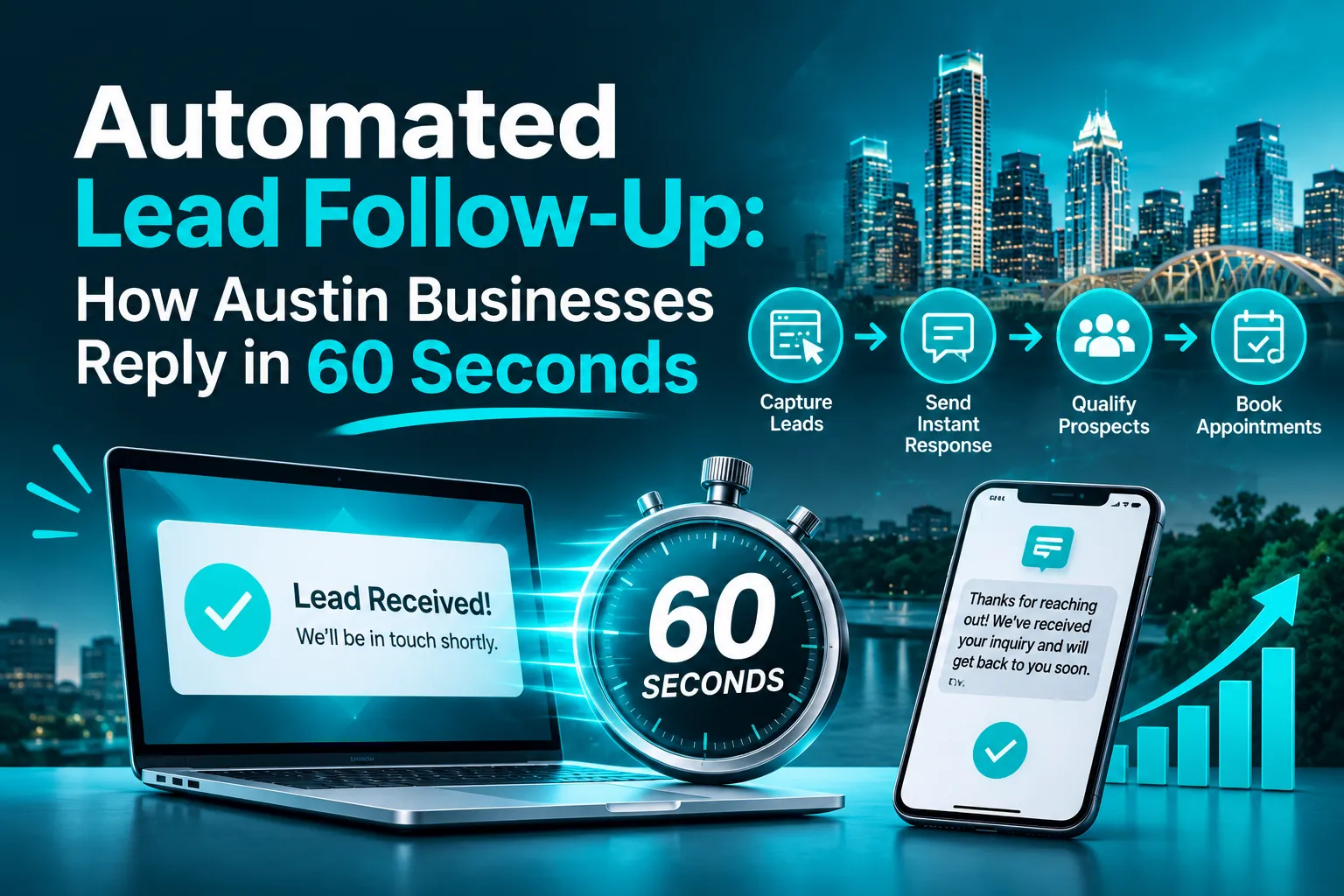
What is Automated Lead Follow-Up?
Automated lead follow-up uses software and CRM workflows to respond to new inquiries, organize prospect information, and manage subsequent communication. Instead of manually contacting every prospect, an automated lead response system starts working when someone expresses interest. It can capture leads from:- Website contact and quote request forms.
- Google Ads and social media campaigns.
- Incoming phone calls and website chat.
- Landing pages and appointment requests.
Why Should Austin Businesses Respond to Leads Within 60 Seconds?
Responding quickly gives businesses an opportunity to connect with prospects while their interest is fresh. Someone searching for an emergency plumber, requesting an HVAC estimate, or comparing marketing agencies may contact multiple providers before choosing one. Fast lead response can help businesses:- Acknowledge inquiries immediately: Prospects know their requests have been received.
- Reduce missed opportunities: New inquiries do not remain unnoticed in an inbox.
- Improve customer experience: Customers receive clear information about the next step.
- Support sales teams: Employees receive lead details and notifications automatically.
- Maintain consistent communication: Follow-up can continue outside normal working hours.
How Does Automated Lead Follow-Up Work?
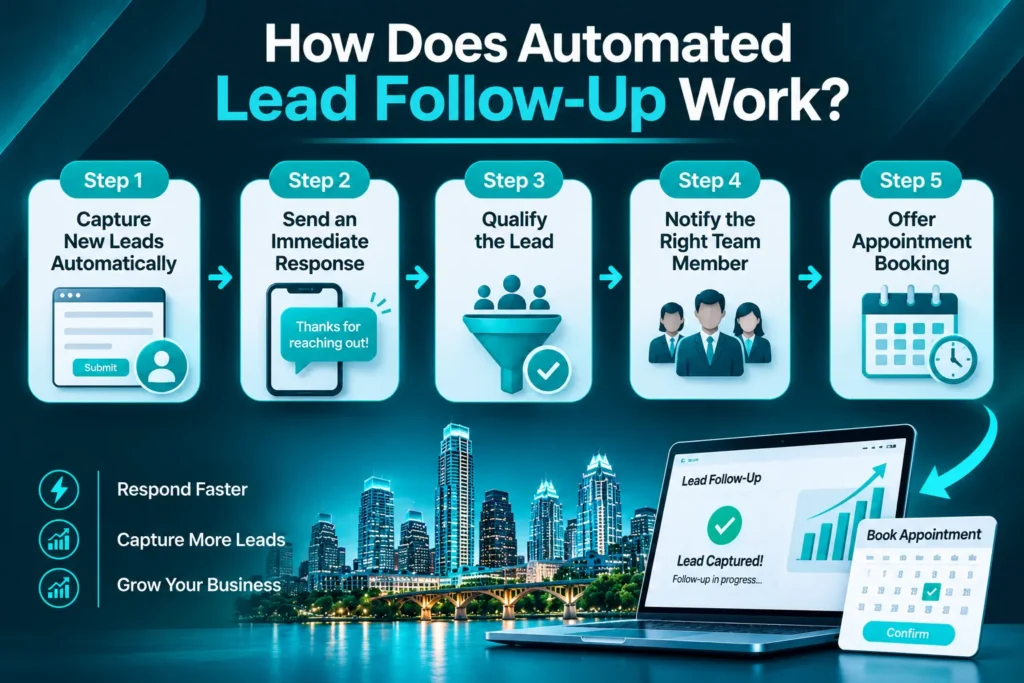 An automated lead follow-up system connects lead capture, CRM management, customer communication, and sales notifications.
Step 1: Capture New Leads Automatically
When someone submits a form, requests a quote, calls your business, or starts a website chat, lead capture automation sends their available information to your CRM. This may include their name, phone number, email, service requirement, and inquiry source.Step 2: Send an Immediate Response
The system sends an automated SMS or email acknowledging the inquiry. For example: “Thanks for contacting us! We’ve received your request and our team will review it shortly. Is there anything else you’d like us to know?” This confirms receipt without pretending that a salesperson has already reviewed the inquiry.Step 3: Qualify the Lead
AI lead qualification or predefined CRM rules can collect additional information. An HVAC company, for example, might ask about the service required, equipment condition, location, and preferred appointment time.Step 4: Notify the Right Team Member
The CRM routes the inquiry to the appropriate salesperson or department. Urgent plumbing requests, for example, can receive priority over general service questions.Step 5: Offer Appointment Booking
Appointment booking automation can share a scheduling link or connect with a supported calendar. This reduces unnecessary back-and-forth communication and helps turn qualified inquiries into scheduled appointments.Which Channels Can Businesses Use for Automated Lead Follow-Up?
Businesses can combine several communication channels depending on their customers and sales process.| Channel | How It Supports Follow-Up |
| SMS automation | Sends confirmations and appointment links |
| Email automation | Shares detailed information and resources |
| AI voice agents | Collects information and supports scheduling |
| CRM notifications | Alerts employees about new or urgent leads |
| Website chat | Answers common questions and captures inquiries |
What Happens When a Lead Does Not Respond?
Not every prospect replies to the first message. Automated sales follow-up helps businesses continue the conversation without requiring employees to remember every outstanding inquiry. A sample follow-up sequence:| Timing | Action | Purpose |
| Within 60 seconds | Initial SMS | Acknowledge inquiry |
| Within 5 minutes | Sales team notification | Prompt human follow-up |
| Later that day | Helpful email | Provide relevant information |
| Day 1 | Follow-up message | Check whether help is needed |
| Day 3 | Reminder | Reopen the conversation |
| Day 7 | Final check-in | Confirm continued interest |
Which Austin Businesses Benefit from Automated Lead Follow-Up?
Automated lead response systems can support businesses that receive inquiries through websites, advertisements, and phone calls.- HVAC and plumbing companies: Collect service details, identify urgent requests, and route inquiries to the right team.
- Roofing contractors: Acknowledge inspection and estimate requests, organize project details, and schedule follow-ups.
- Law firms: Acknowledge consultation requests, collect basic intake information, and notify appropriate staff.
- Real estate businesses: Respond to property inquiries, collect preferences, and arrange viewings.
- SaaS and B2B companies: Qualify demo requests, share relevant information, and schedule sales calls.
How Much Does Automated Lead Follow-Up Cost in Austin?
The cost of automated lead follow-up in Austin depends on the tools, integrations, communication channels, and customization required. Important cost factors include:- CRM setup: Pipelines, lead records, and automated workflows.
- Communication channels: SMS, email, and AI voice functionality.
- Integrations: Connections with website forms, advertising platforms, and chat systems.
- AI qualification: Automated questions and lead categorization.
- Appointment booking: Calendar connections and reminders.
- Ongoing management: Workflow testing and performance optimization.
How Do You Choose the Right Lead Follow-Up Automation System?
Choose a system that supports your existing sales process without adding unnecessary complexity. Evaluate these features:- CRM integration: Captures leads from websites, ads, and other channels.
- Fast response workflows: Acknowledges new inquiries automatically.
- SMS and email automation: Manages relevant messages and follow-up sequences.
- Lead qualification: Collects the information your sales team needs.
- Lead routing: Notifies the appropriate employee.
- Appointment booking: Helps prospects schedule consultations or service visits.
- Reporting: Tracks response times, appointments, and lead outcomes.
- Human handoff: Allows employees to take over when personal assistance is needed.
Frequently Asked Questions
What is automated lead follow-up?
Automated lead follow-up uses CRM software, SMS, email, and connected tools to respond to inquiries and manage subsequent communication. It helps businesses acknowledge prospects, organize information, and maintain consistent follow-up.How quickly should a business respond to a new lead?
Responding within 60 seconds is a useful operational target for acknowledging new inquiries. Actual response times depend on the business’s systems, lead source, and communication setup.Can a CRM automatically send text messages to new leads?
Yes. A CRM with SMS integration can send an automated text when a new lead enters a workflow. Businesses can use messages to confirm inquiries, share appointment links, and provide next steps, subject to consent requirements.Can AI qualify leads and book appointments?
Yes. AI-powered systems can ask predefined questions, collect prospect details, identify requirements, and connect with supported scheduling tools. Situations requiring human judgment should be transferred to an employee.How much does lead follow-up automation cost in Austin?
Pricing depends on CRM setup, integrations, messaging usage, AI features, appointment booking, and ongoing management. Compare included features and recurring costs before choosing a provider.Stop Losing Leads to Slow Follow-Up
Generating leads is only the beginning. Austin businesses also need a reliable process to acknowledge inquiries, qualify prospects, and turn interest into appointments. AICOADS helps businesses connect CRM automation, AI-powered communication, lead capture, and appointment booking into practical growth systems. Explore our CRM automation services in Austin and AI receptionist service, or contact AICOADS to discuss your requirements.