
What Makes an Ecommerce Website Convert Visitors Into Customers?
A high-converting ecommerce website makes it easy for customers to find products, evaluate their options, and complete purchases. Clear navigation, persuasive product descriptions, transparent pricing, trust signals, and a straightforward checkout process all contribute to a better shopping experience.
An attractive design can capture attention, but the entire customer journey determines whether visitors purchase.
Businesses should focus on these essential elements:
- Clear navigation: Organize products into logical categories.
- Compelling product information: Explain features, benefits, sizes, specifications, and use cases.
- Visible calls to action: Make buttons such as “Add to Cart” and “Buy Now” easy to find.
- Trust signals: Display genuine reviews, clear policies, and secure payment options.
- Transparent costs: Explain shipping charges, taxes, and return conditions before customers reach the final checkout stage.
A conversion-focused store removes uncertainty and helps shoppers make informed decisions.
Which Features Should Every Ecommerce Website Include?
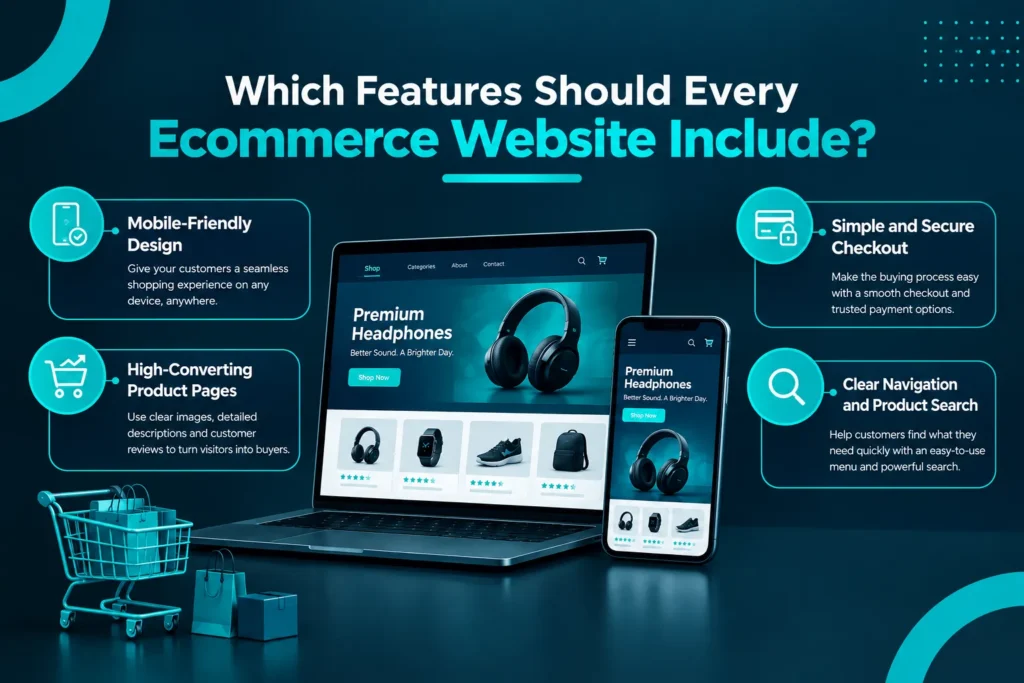
Every ecommerce website should provide a consistent shopping experience across devices while making products easy to discover and purchase.
Mobile-Friendly Design
Customers may browse products, compare prices, and place orders using smartphones. Your store should adapt to different screen sizes without forcing visitors to zoom, struggle with menus, or complete complicated forms.
Use readable text, appropriately sized buttons, optimized product images, and mobile-friendly navigation. Test the complete checkout process on actual mobile devices, not just desktop screens.
High-Converting Product Pages
Product pages help customers decide whether an item meets their needs. Each page should communicate value clearly and answer common purchasing questions.
Include descriptive product titles, high-quality images, accurate specifications, pricing, availability, and clear calls to action. Where appropriate, add customer reviews, product demonstrations, sizing information, and frequently asked questions.
Avoid vague descriptions that simply repeat a product name. Explain what makes the product useful and why it may be the right choice for the customer.
Simple and Secure Checkout
A complicated checkout can discourage customers who are ready to buy. Keep the process straightforward by limiting unnecessary form fields, explaining shipping costs early, and offering appropriate payment methods.
Guest checkout can also help customers who do not want to create an account before purchasing.
Make sure payment processing is secure and that customers can easily find your shipping, returns, and privacy policies.
Clear Navigation and Product Search
Customers should not have to search through dozens of unrelated pages to find what they need.
Organize products into meaningful categories, use descriptive menu labels, and provide filters when your catalog supports them. A search function can be particularly helpful for stores with large product ranges.
A logical structure improves usability and helps search engines understand the relationship between your categories and products.
Which Ecommerce Platform Is Best for Your Austin Business?
The right ecommerce platform depends on your budget, product catalog, technical requirements, and plans for growth. Shopify and WooCommerce are two common options, while custom development may be appropriate for businesses with specialized requirements.
| Platform | Best suited for | Key consideration |
| Shopify | Businesses wanting a managed ecommerce platform | Subscription and app costs, along with platform flexibility |
| WooCommerce | Businesses wanting ecommerce within WordPress | Hosting, maintenance, extensions, and customization |
| Custom development | Businesses needing specialized functionality | Development complexity, cost, and ongoing support |
Shopify web design in Austin may suit businesses looking for a managed platform with ecommerce features and available integrations. WooCommerce can be a strong option for businesses that want to manage their store within WordPress and customize their website using compatible extensions.
Custom ecommerce development may be worth considering when standard platforms cannot efficiently support specific workflows or technical requirements.
Before choosing, compare the total cost of ownership, ease of management, available integrations, scalability, and support requirements. The best platform is the one that fits your business rather than the one with the most features.
How Does Ecommerce Web Design Help Improve SEO?
Ecommerce web design supports SEO by creating a logical site structure, improving usability, and making product and category pages easier for search engines to understand.
An effective ecommerce SEO strategy should include:
- Optimized product pages: Write descriptive titles, useful product descriptions, and relevant meta descriptions.
- Logical category structure: Organize products into clear, related categories.
- Internal linking: Connect relevant products, categories, and informational content.
- Image optimization: Compress images appropriately and write descriptive alt text when images convey meaningful information.
- Technical SEO: Review indexing, canonical URLs, redirects, and duplicate product variations.
- Mobile usability: Make sure important content and shopping functions work across screen sizes.
- Structured data: Implement appropriate product and other supported schema markup accurately.
For businesses serving Austin customers, locally relevant content can also help communicate geographic relevance where appropriate.
Remember that good design and technical SEO create a stronger foundation, but they do not guarantee search rankings. Useful content, competition, website authority, and other factors also influence organic visibility.
How Can You Reduce Cart Abandonment and Increase Sales?
Cart abandonment occurs when shoppers add products to their carts but leave before completing their purchases. Improving the checkout experience and addressing common customer concerns can help reduce unnecessary drop-offs.
Start with these practical improvements:
- Show costs early. Unexpected shipping charges or fees can discourage customers. Explain delivery costs and relevant conditions before the final checkout step.
- Simplify checkout. Remove unnecessary questions and avoid forcing customers through multiple screens without a clear reason.
- Build trust. Make contact details, payment information, delivery estimates, and return policies easy to find.
- Offer useful payment options. Provide payment methods that suit your audience and business requirements.
- Follow up appropriately. Where permitted and configured correctly, abandoned-cart emails or messages can remind shoppers about unfinished purchases.
- Measure the customer journey. Track product views, add-to-cart events, checkout starts, and completed purchases to identify where customers are dropping off.
Avoid assuming that every abandoned cart represents a lost sale. Some visitors are comparing products, checking prices, or simply browsing. Use analytics to identify patterns and test improvements rather than making changes based on guesswork.
How Much Does Ecommerce Web Design Cost in Austin?
The cost of ecommerce web design in Austin depends on the size and complexity of the project. A store built around a suitable template will generally require a different budget from a custom-designed website with extensive integrations and specialized functionality.
Key cost factors include:
- Design requirements: Template customization versus a fully custom interface.
- Product catalog: Product quantities, variations, categories, and content requirements.
- Platform selection: Shopify, WooCommerce, or custom development.
- Integrations: Payment processors, shipping services, inventory systems, and CRM tools.
- SEO requirements: Technical setup, product metadata, site structure, and content optimization.
- Migration: Moving products, customers, URLs, and other data from an existing store.
- Ongoing support: Hosting where applicable, maintenance, updates, security, and performance improvements.
When comparing proposals, look beyond the initial price. Ask what is included, who will manage updates, whether analytics will be configured, and what happens when you need additional functionality.
A clearly defined project scope helps prevent unexpected costs and makes it easier to evaluate the value of different providers.
What Should You Check Before Launching Your Online Store?
Before publishing your ecommerce website, complete a final quality assurance review.
Use this checklist:
- Test navigation and product filters.
- Verify product descriptions, images, prices, and inventory.
- Test checkout and payment processing.
- Confirm shipping settings, delivery information, and tax configuration.
- Review the website on mobile, tablet, and desktop.
- Check contact details, privacy information, and return policies.
- Verify analytics and ecommerce conversion tracking.
- Review important metadata, indexing settings, and redirects.
- Test order confirmations and customer notifications.
- Confirm that backups, security measures, and maintenance arrangements are in place.
A successful launch requires more than a working homepage. Every important step—from finding a product to receiving an order confirmation—should work as expected.
Frequently Asked Questions About Ecommerce Web Design in Austin
How much does ecommerce web design cost in Austin?
Ecommerce website costs vary according to the platform, design complexity, product catalog, integrations, and custom features. Request a detailed proposal that explains the scope, deliverables, ongoing expenses, and post-launch support before comparing providers.
Which platform is better for an online store: Shopify or WooCommerce?
Shopify is worth considering if you prefer a managed ecommerce platform. WooCommerce may suit businesses that want a WordPress-based store with greater control over customization. The right choice depends on your budget, technical needs, integrations, and maintenance preferences.
How long does it take to build an ecommerce website?
The timeline depends on the design scope, number of products, content readiness, platform configuration, integrations, and approval process. A straightforward store may take less time than a custom project requiring extensive development, migration, or specialized functionality.
Can ecommerce web design help improve Google rankings?
Yes. A well-structured website can support SEO through mobile usability, logical navigation, optimized product pages, technical improvements, and relevant internal links. However, rankings also depend on content quality, competition, website authority, and other search factors.
How can I improve my ecommerce website’s conversion rate?
Improve product descriptions, simplify checkout, make shipping and return policies clear, strengthen trust signals, and test the mobile shopping experience. Use analytics to identify where visitors leave and measure whether changes lead to more completed purchases.
Build an Ecommerce Website Designed for Growth
A successful online store combines attractive design with usability, search visibility, and a straightforward purchasing experience. From selecting the right platform to optimizing product pages and checkout, each decision should help customers shop confidently and help your business measure performance.
AICOADS helps businesses approach website design with a focus on business goals, user experience, and digital growth. If you are planning a new online store or improving an existing website, explore our custom website design and development services in Austin to discuss a solution aligned with your needs.
Ready to build an online store that works harder for your business? Contact AICOADS to discuss your ecommerce website project.