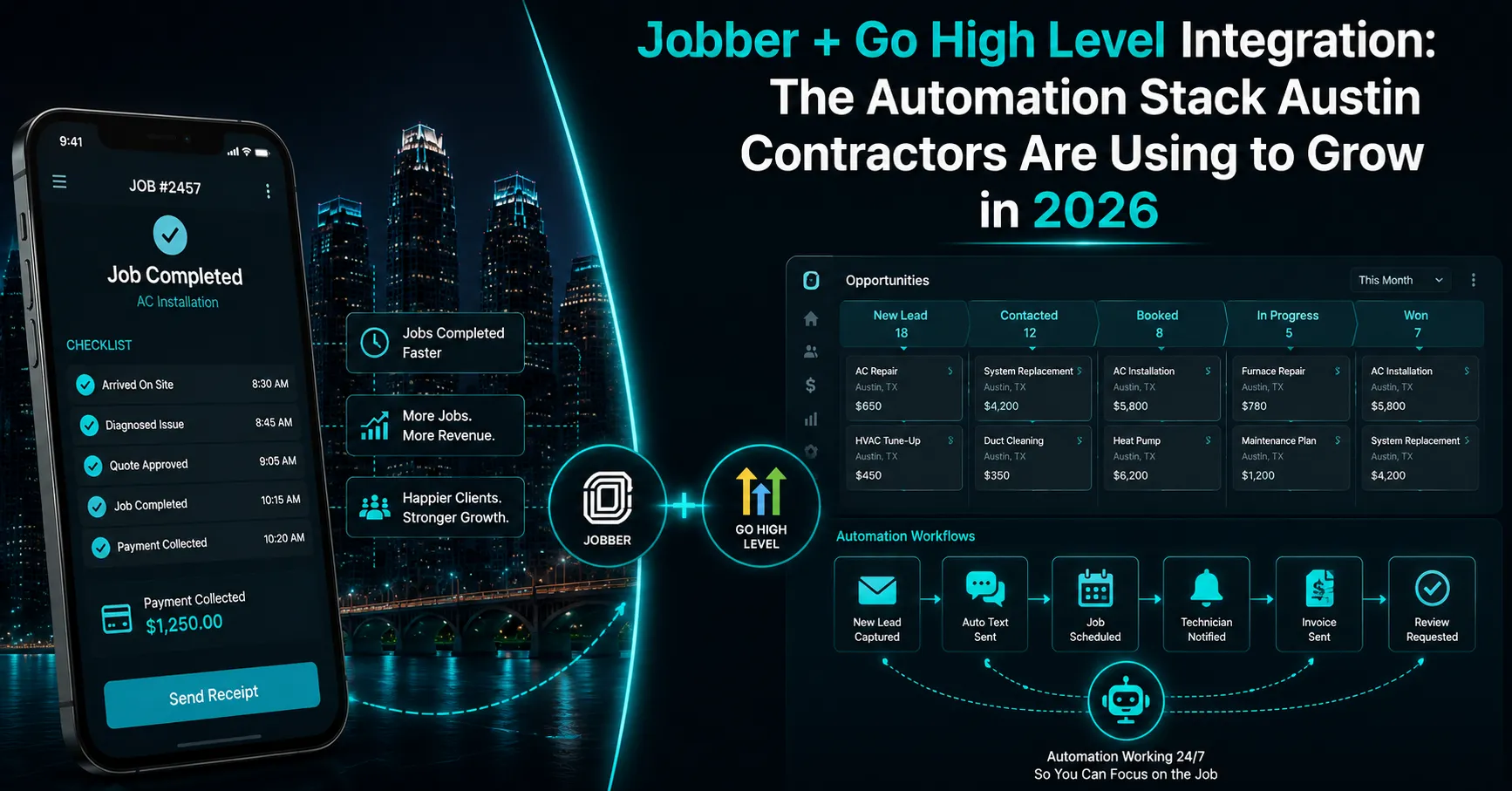
What Happens When Jobber Runs Alone — The Revenue Leak Every Austin Contractor Has
Most Austin contractors using Jobber are leaving revenue on the table — not because Jobber is failing them, but because Jobber was never built to be a marketing engine. It runs jobs. It does that well. The gap is everything that happens between jobs, before jobs, and after jobs.
Here’s a typical pattern for an Austin HVAC company running Jobber alone: a lead calls at 7:45 PM after a full day of jobs. The office is closed. The call goes to voicemail. The homeowner calls the next HVAC company on Google instead. That lead — worth roughly $650 for an emergency AC repair in Austin — is gone. Industry research shows 85% of callers who reach voicemail never call back. 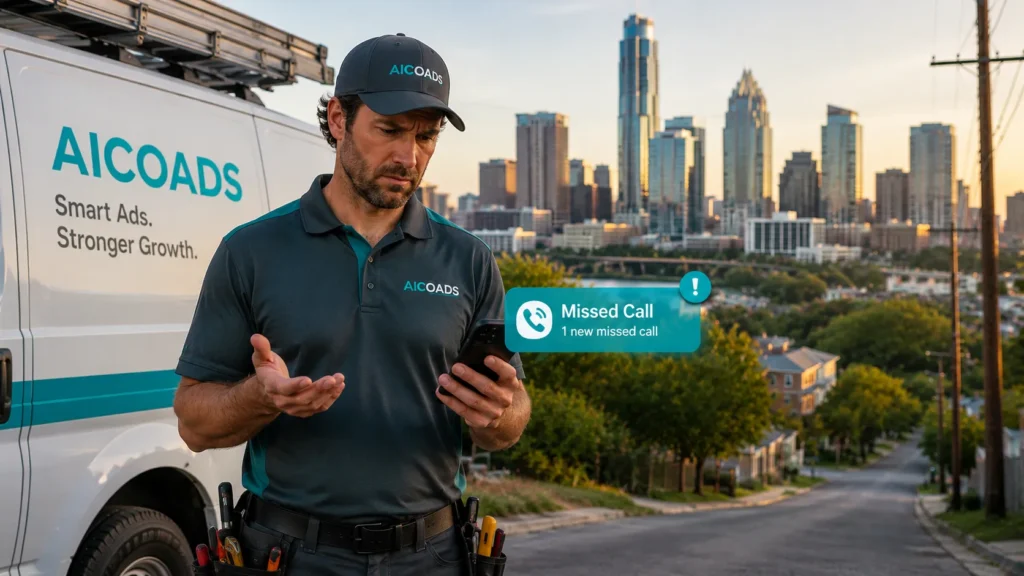
The job gets completed. The technician marks it done and drives to the next call. Nobody sends a Google review request. Meanwhile, a competitor with more reviews ranks above them in the Austin Local Pack and captures the next homeowner searching for that service.
The customer from a spring tune-up gets no follow-up reminder as peak Austin summer approaches. A competitor sends that reminder instead and books the job, a repeat booking Jobber alone has no mechanism to capture.
Which Austin Contractors Use Jobber — and Why This Integration Matters for Each One
The Jobber + GHL stack unlocks different high-value workflows depending on the trade.
HVAC Companies in Austin, TX
HVAC is the highest-stakes trade for this integration because of Austin’s extreme seasonal demand. Austin summer regularly exceeds 105°F — an AC failure is an emergency. When a Jobber-connected GHL account captures an after-hours call via AI voice agent for HVAC Austin, qualifies the emergency, and dispatches the on-call technician within 90 seconds, the contractor captures calls that would otherwise go to voicemail.
Post-job automation sends a Google review request a few hours after the job is marked complete in Jobber. Seasonal maintenance reminder campaigns go out ahead of summer and winter, targeting customers from the previous year’s Jobber records. Learn more about HVAC marketing Austin TX.
Plumbing Companies in Austin, TX
For Austin plumbers, the emergency-response use case mirrors HVAC, with an added opportunity: water heater replacement upsell automation. When Jobber records a water heater repair for a customer with an aging unit, GHL can automatically trigger a follow-up sequence offering a tankless upgrade. Post-job review automation is often the single highest-impact workflow for plumbing companies working to improve Google Maps visibility. See our full plumber marketing Austin breakdown.
Electricians in Austin, TX
Austin electricians have a distinct high-margin opportunity this integration captures well: EV charger installation. With Tesla’s headquarters in Austin and one of the highest EV adoption rates in Texas, EV-related searches have grown sharply in recent years. When a Jobber job is tagged as an EV charger installation, GHL can add the customer to a referral campaign targeting other EV owners. Panel-upgrade upsell sequences can similarly follow any customer whose service noted an aging panel.
Roofing Companies in Austin, TX
For Austin roofers, the integration’s most powerful feature is storm-trigger automation. When severe weather is forecast for Travis County, GHL can automatically contact Jobber customers in the affected zip codes with a storm inspection offer. Combined with post-job review automation, this workflow is particularly effective at building review velocity quickly during and after storm season.
How the Jobber + Go High Level Integration Actually Works in 2026
The native integration, launched in September 2025, connects the two platforms directly for the core workflows — no Zapier required for these. Here’s what happens when the stack is properly configured:
1. Lead Captured in GHL — Automatically Creates a Job in Jobber
A homeowner fills out a landing page form for an emergency service. GHL captures the lead, logs it in the pipeline, sends an instant SMS confirmation, and creates a new job record in Jobber with the customer’s details pre-filled. Result: no manual data entry, and the technician sees the job almost immediately.
2. Two-Way Contact Sync
Any update to a customer’s info in Jobber reflects in GHL, and vice versa. Result: eliminates the dual-entry problem that causes missed follow-ups when contact details differ between systems.
3. Job Status Triggers GHL Automation
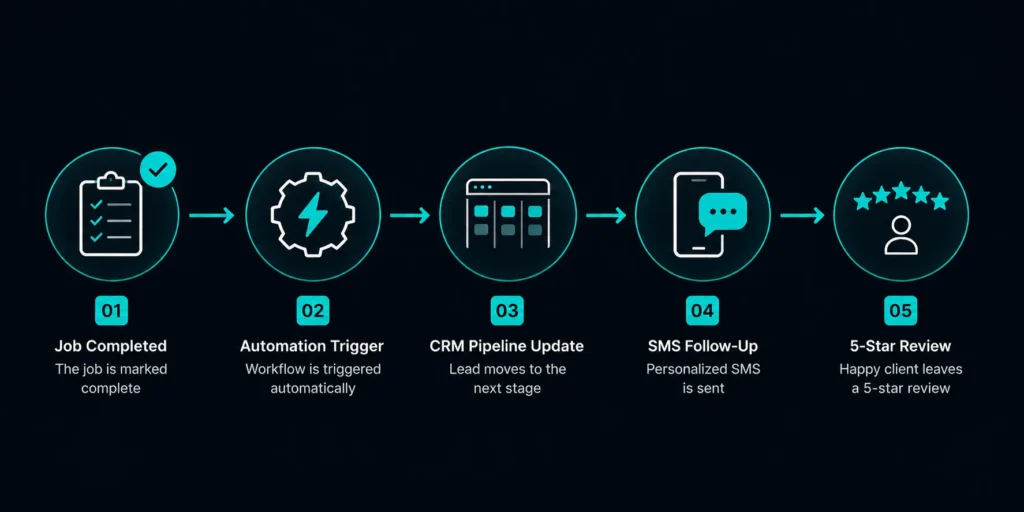
This is the most powerful feature. When a technician marks a job “Completed” in the Jobber mobile app, GHL receives an instant trigger and fires the post-job sequence: an SMS review request a few hours after completion, an email follow-up the next day, and an upsell campaign starting about a week later. Result: every completed job automatically generates a review request without anyone having to remember to send it.
4. AI Voice Agent Answers Calls GHL Misses — Syncs to Jobber
A Voiceflow-powered AI voice agent connected to GHL can answer after-hours calls, qualify the caller (emergency vs. routine), collect address and job details, and create both a GHL contact and a Jobber job record automatically. Emergency calls get routed to the on-call technician immediately.
5. Seasonal Campaigns Pull Jobber Customer History
GHL can connect to Jobber job history to segment customers by service type and last service date — sending pre-summer maintenance reminders, replacement offers as units age, and similar automated, no-manual-list-building campaigns.
What the Jobber + GHL Integration Does Not Do Yet — Be Honest With Your Team
Not every workflow runs natively. As of this writing:
- The native integration does not sync Jobber invoices into GHL — invoice and payment status still require a Zapier connection.
- Job line items and pricing from Jobber don’t automatically appear in GHL pipelines — a custom Zapier workflow is needed for cost-per-job data in GHL.
- Two-way invoice sync is reportedly on the roadmap but not yet released.
These gaps cover a minority of potential workflows. The parts that matter most for Austin contractors — lead capture, AI booking, review automation, seasonal campaigns and emergency call recovery — all work natively today.
What Results Can Look Like With the Jobber + GHL Stack
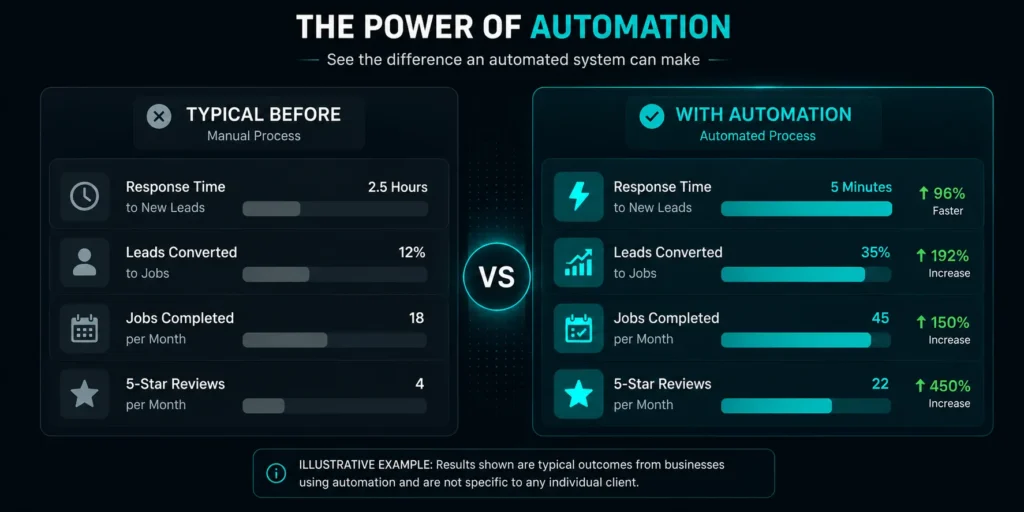
A note on the numbers below: these reflect typical, illustrative outcomes based on industry benchmarks for this type of automation stack, not verified results from a specific named client. Actual results vary by business size, market, and execution.
Contractors running this stack well typically see meaningful gains in three areas: review velocity (more Google reviews collected automatically after every completed job, which directly supports Google Maps Local Pack ranking), emergency call capture (a well-configured AI voice agent can recover a large share of after-hours calls that would otherwise go to voicemail), and repeat bookings (seasonal and upsell campaigns pulling from Jobber job history bring back customers who would otherwise be forgotten). See a real example in our Austin AI marketing case study featuring Banger Brewing.
How to Connect Jobber to Go High Level — Setup Overview
The native integration setup typically takes about 30–45 minutes for a contractor with both accounts active. In your Go High Level account, navigate to Settings → Integrations → Jobber. Click Connect and authorize access to your Jobber data. Select which data to sync — contacts, jobs, and job statuses are the three critical permissions to enable. Once connected, go to GHL Automations and build your first trigger: Jobber Job Status → Completed. Set the action to send an SMS to the contact with a review request and your Google review link, delayed a few hours after the trigger fires. This single automation is often enough to generate a new Google review within a day of activation. For AI voice agent integration, the Voiceflow conversation flow needs to be configured to push captured lead data into both GHL contacts and Jobber jobs simultaneously via the native API — this is the more complex part of the setup. Important: incorrectly configured voice agents can create duplicate contacts and misroute emergency calls. This part of the setup benefits from experienced GHL configuration support rather than a DIY approach.Why Austin Contractors Choose AICOADS to Set Up the Jobber + GHL Stack
Setting up the Jobber + GHL integration correctly is more involved than the basic “connect in Settings” tutorial suggests. Review automation timing, AI voice agent conversation logic, seasonal campaign segmentation pulling from Jobber job history, and storm-trigger automation all benefit from experienced GHL configuration. AICOADS is an Austin-based AI marketing agency at 1401 Lavaca Street, Suite 800, Austin, TX 78701, working with home service contractors across HVAC, plumbing, electrical, and roofing. We don’t offer generic marketing packages — we build connected systems that combine paid advertising, GHL automation, AI voice agents and Jobber integration into one system. See our full range of AI marketing services in Austin, TX. The AICOADS Growth package at $1,500/month includes Jobber + GHL integration setup, AI voice agent deployment, post-job review automation, seasonal campaign configuration, and monthly strategy reviews.Frequently Asked Questions — Jobber + Go High Level Integration for Austin Contractors
Does Jobber integrate natively with Go High Level in 2026?
Yes — HighLevel launched a native Jobber integration in September 2025. It syncs contacts, creates Jobber jobs from GHL leads, and triggers GHL automations from Jobber job status changes, including the completed-job trigger that fires post-job review requests. Zapier is still needed for invoice and payment sync, but not for the core marketing workflows.How much does it cost to run Jobber and Go High Level together?
Jobber’s Connect plan runs about $89/month; GHL’s Starter plan runs about $97/month — roughly $186/month combined before ad spend. AICOADS manages the full stack integration, AI voice agent, and automation setup as part of the Growth package at $1,500/month.What happens when a job is completed in Jobber with Go High Level connected?
GHL receives an instant trigger and fires the post-job automation sequence. An SMS review request goes out a few hours after completion, an email follow-up the next day, and the customer is added to a relevant upsell campaign based on job type.Can the Go High Level AI voice agent create Jobber jobs automatically?
Yes — a properly configured AI voice agent can capture caller details and push them into both a new GHL contact and a new Jobber job simultaneously. Emergency calls get dispatched immediately; non-urgent calls get booked into the calendar through GHL’s scheduling integration.Which Austin contractors benefit most from the Jobber + Go High Level integration?
HVAC companies benefit most from emergency call capture and seasonal campaigns; plumbers see strong review-velocity gains; electricians gain from EV-related referral automation; roofers benefit most from storm-trigger campaigns. Book your free AI audit to see what this could look like for your specific business.The Bottom Line — Jobber + GHL Is a Stack Worth Considering for Austin Contractors in 2026
Jobber runs your jobs. Go High Level helps you win more of them and keeps existing customers coming back. Together, they can form a system that works around the clock — capturing calls while your technicians are on-site, collecting reviews while your dispatcher is off the clock, and sending seasonal campaigns while your team focuses on the actual work. AICOADS sets up the complete Jobber + Go High Level integration for Austin contractors as part of every Growth and Scale package. Book your free AI audit and we’ll walk through what the integrated system could look like for your specific business in Austin, Texas.