
Why Should Austin Businesses Choose Shopify for Their Online Store?
Shopify is a hosted ecommerce platform that helps businesses create and manage online stores without handling their own website server infrastructure. It provides store management, product listings, payment options, inventory tools, and integrations within one platform.
For Austin businesses, Shopify can be useful when selling products directly to local customers, shipping across the United States, or expanding into new markets.
Key advantages include:
- Simplified store management: Manage products, orders, inventory, and customers from one dashboard.
- Payment options: Set up supported payment methods so customers can complete purchases conveniently.
- Customizable themes: Choose a theme and adjust its layout, branding, and functionality to match your business.
- App integrations: Connect tools for email marketing, shipping, inventory, customer support, and analytics.
- Scalability: Add products, features, and integrations as your business grows.
Shopify is not automatically the right solution for every business. Companies with unusual purchasing workflows, complex product configurations, or highly customized requirements may need additional development or another ecommerce platform. The best choice depends on your products, budget, and operational needs.
What Does Professional Shopify Web Design Include?
Professional Shopify website design in Austin should focus on usability, branding, performance, and conversions. The objective is to make the shopping journey clear from the first visit to the completed order.
1. Custom Theme and Homepage Design
Your homepage introduces your business and guides visitors toward important products or collections. It should communicate what you sell, who your products are for, and why customers should consider buying from you.
An effective homepage typically includes:
- A clear headline explaining your product offering.
- High-quality product or lifestyle images.
- Featured products and relevant collections.
- Visible shopping and navigation options.
- Customer reviews, guarantees, or trust signals.
- Clear calls to action.
A customized Shopify theme can help your store stand out without making the design unnecessarily complicated.
2. Product and Collection Pages
Product pages influence purchasing decisions because customers use them to evaluate what you offer. Each page should provide enough information to help visitors understand the product and decide whether it meets their needs.
Include descriptive product titles, useful descriptions, clear pricing, high-quality images, available variations, shipping information, and relevant reviews.
Collection pages should group related products logically. For example, an Austin clothing retailer might organize collections by category, season, product type, or customer needs.
3. Mobile-Friendly Shopping Experience
Customers should be able to browse products, compare options, and complete purchases comfortably on smartphones.
A mobile-friendly Shopify store needs readable text, appropriately sized buttons, simple navigation, responsive product images, and an easy-to-use cart. Test important pages on different screen sizes rather than relying only on the desktop preview.
4. Simple and Trustworthy Checkout
A complicated checkout can create unnecessary friction. Keep the process straightforward by displaying order costs clearly, offering supported payment methods, explaining shipping and return policies, and avoiding unnecessary form fields.
Customers should understand the total cost before placing an order.
How Do You Build a High-Converting Shopify Store?
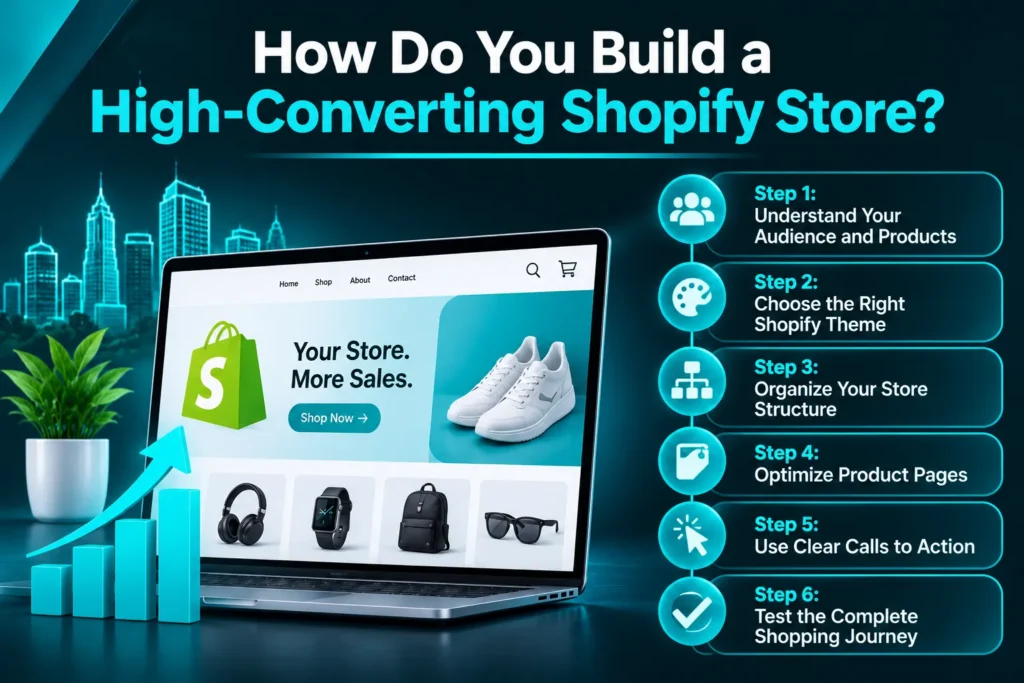
A high-converting Shopify store is designed around customer needs rather than visual appearance alone. Each page should help visitors move toward a purchase.
Follow these steps:
Step 1: Understand Your Audience and Products
Identify your target customers, their buying concerns, and the information they need before purchasing. Review your product range, pricing, competitors, and most important selling points before planning the website.
Step 2: Choose the Right Shopify Theme
Select a theme that supports your product catalog, branding, and required features. Consider its mobile layout, navigation, customization options, and performance. A premium theme is not automatically better than a free one; choose based on functionality and usability.
Step 3: Organize Your Store Structure
Create clear navigation with logical product categories and collections. Make important pages easy to find, including About, Contact, Shipping, Returns, and FAQs.
Step 4: Optimize Product Pages
Use helpful descriptions that explain product benefits, specifications, materials, sizing, or other relevant details. Add multiple useful images and make pricing and purchase options easy to understand.
Step 5: Use Clear Calls to Action
Buttons such as “Add to Cart,” “Shop Now,” and “Explore Products” should be visible and easy to understand. Use consistent calls to action without overwhelming visitors with competing messages.
Step 6: Test the Complete Shopping Journey
Before launch, test navigation, product variations, cart functionality, payment methods, shipping settings, confirmation emails, and mobile usability. Place a test order to identify issues before customers encounter them.
Conversion improvements should continue after launch. Review analytics, customer feedback, and checkout behavior to identify where shoppers experience friction.
How Can Shopify SEO Help Your Austin Store Attract More Customers?
Shopify SEO helps search engines understand your store’s pages and products so they can appear for relevant searches. Good web design should support SEO from the beginning rather than treating it as a separate task after launch.
Important Shopify SEO practices include:
- Optimize page titles and meta descriptions: Write unique, descriptive metadata that reflects each page’s search intent.
- Improve product descriptions: Use natural product-related keywords while explaining features and benefits clearly.
- Create useful collection pages: Add relevant introductory content to important collections instead of relying only on product grids.
- Use descriptive image alt text: Explain what each meaningful product image shows.
- Build logical internal links: Connect related products, collections, buying guides, and important store pages.
- Manage duplicate URLs: Review Shopify’s product and collection URL structures and use appropriate canonical signals.
- Improve mobile performance: Optimize images, review unnecessary apps, and avoid heavy design elements that slow down pages.
- Submit your sitemap: Connect Google Search Console and submit your Shopify sitemap to help Google discover store URLs.
Austin businesses can also create location-relevant content when they genuinely serve local customers. For example, an Austin retailer offering local pickup can explain its pickup options and service area.
SEO does not guarantee rankings or immediate sales. It helps build a stronger foundation for organic visibility and qualified traffic over time.
Which Shopify Integrations Can Help Your Store Grow?
Shopify apps and integrations can extend your store’s functionality, automate repetitive tasks, and improve customer communication. However, installing too many apps can increase costs and affect website performance.
Consider these integration categories:
| Integration | How It Helps |
| Payment gateways | Give customers supported ways to pay |
| Shipping tools | Manage shipping rates, labels, and order fulfillment |
| Inventory systems | Track stock and product availability |
| CRM platforms | Organize customer information and sales activity |
| Email marketing | Send campaigns and abandoned-cart reminders |
| Analytics tools | Measure traffic, purchases, and conversion activity |
Choose integrations based on actual business requirements. For example, connecting Shopify with a CRM can help your team organize customer information and follow up with shoppers. Email automation can support abandoned-cart recovery and post-purchase communication.
AICOADS also provides CRM automation services in Austin for businesses looking to improve customer management and follow-up workflows.
How Much Does Shopify Web Design Cost in Austin?
Shopify web design costs in Austin depend on the store’s complexity, design requirements, product catalog, integrations, and level of customization. A basic store using an existing theme generally requires less development than a custom-designed ecommerce website.
The main factors affecting cost include:
- Theme selection: Existing themes may reduce design and development work, while extensive customization requires additional time.
- Store size: A larger catalog may need more product uploads, organization, and collection setup.
- Custom functionality: Special product options, subscriptions, or advanced purchasing workflows can increase development requirements.
- Integrations: Connecting inventory, shipping, CRM, and marketing platforms may require configuration or custom development.
- Content and imagery: Product descriptions, photography, and other website content affect the overall project scope.
- SEO setup: Technical checks, metadata, collection optimization, and migration planning add work to the project.
- Ongoing support: Maintenance, updates, troubleshooting, and conversion improvements may involve recurring costs.
Request a detailed proposal before hiring a Shopify web design company. It should explain what is included, which features are custom, what you need to provide, and whether post-launch support is available.
Frequently Asked Questions
How much does Shopify web design cost in Austin?
The cost depends on whether you use an existing theme or require custom design and development. Product catalog size, integrations, custom features, SEO, and migration requirements also affect the budget. Request a project-specific quote based on your store’s needs.
Is Shopify good for small businesses?
Yes. Shopify can be a practical option for small businesses that want to sell products online without managing their own hosting infrastructure. Its suitability depends on the business model, required features, budget, and expected growth.
How long does it take to build a Shopify store?
A straightforward store may take less time than a large custom ecommerce project. The timeline depends on design approvals, product content, catalog size, integrations, customization, and testing. Confirm the expected delivery schedule with your development team.
Can a Shopify store rank on Google?
Yes. Shopify stores can appear in Google search results when their pages are accessible, indexable, relevant, and properly optimized. Rankings depend on competition, content quality, technical SEO, authority, and other factors—not the platform alone.
How can I increase Shopify store conversions?
Improve product descriptions, use clear images, simplify navigation, optimize mobile usability, display trustworthy policies, and make checkout straightforward. Use analytics and customer feedback to identify friction points and test improvements.
Build a Shopify Store Designed to Convert
A successful Shopify store combines professional design, clear product information, mobile usability, SEO, and a smooth checkout experience. Austin businesses should plan these elements together to create an online store that supports both customer experience and long-term growth.
AICOADS helps businesses build conversion-focused websites and digital growth systems. Explore our custom website design and development services in Austin or contact our team to discuss your Shopify store requirements.